Most productivity tools help you manage information. Disco helps you turn information into something usable.
This week, Google Labs introduced Disco, a new Gemini-powered experiment that transforms browser tabs into apps you can actually work with. Instead of juggling dozens of tabs, copying content, and mentally stitching things together, Disco lets you build what Google calls GenTabs: lightweight, interactive apps generated from what you already have open and what you want to achieve.
This is not another browser extension. It is a new way of thinking about how work happens on the web.
What Google Labs' Disco Is Designed To Solve
Browsers were designed to display information, not to compose it. You open tabs to research, compare, and explore. But when it comes time to act on that information, you face a gap. You copy snippets into documents. You switch between windows. You hold context in your head while trying to synthesize across sources.
Disco addresses that gap directly. It treats your open tabs as raw material for workflows. Instead of managing tabs, you promote them into task-specific applications that help you think, plan, and decide.
For knowledge workers whose job involves synthesis rather than simple production, this reduces tab overload, manual stitching, and the cognitive load that comes from holding too much context at once.
Key Features Worth Noting
Context-Aware App Generation
Disco reads your currently open tabs and generates custom mini apps based on what you are working on. These are not templates. They are dynamically created interfaces shaped by your browsing state and your stated goal.
Natural Language Intent
You describe what you want to accomplish in plain language. No prompts to memorize. No interface to master. You state an outcome, and Disco builds around it.
GenTabs: Task-Specific Mini Apps
Each GenTab is a temporary workspace designed for a single goal. It might be a visual explainer, a planning interface, a comparison tool, or a structured summary. The app stays grounded in your original sources and links back to them.
Iterative Refinement Through Conversation
Once a GenTab exists, you can continue shaping it. Adjust structure. Add or remove sections. Change how information is displayed. You are not rebuilding. You are iterating through natural conversation.
Source Transparency
Every GenTab connects back to the tabs it was built from. That means the information stays traceable, not fabricated or abstracted beyond recognition.
How to Use Disco in Practice
Disco is designed to work with what you are already doing, not to replace your workflow.
1. Start with a real task, not random browsing
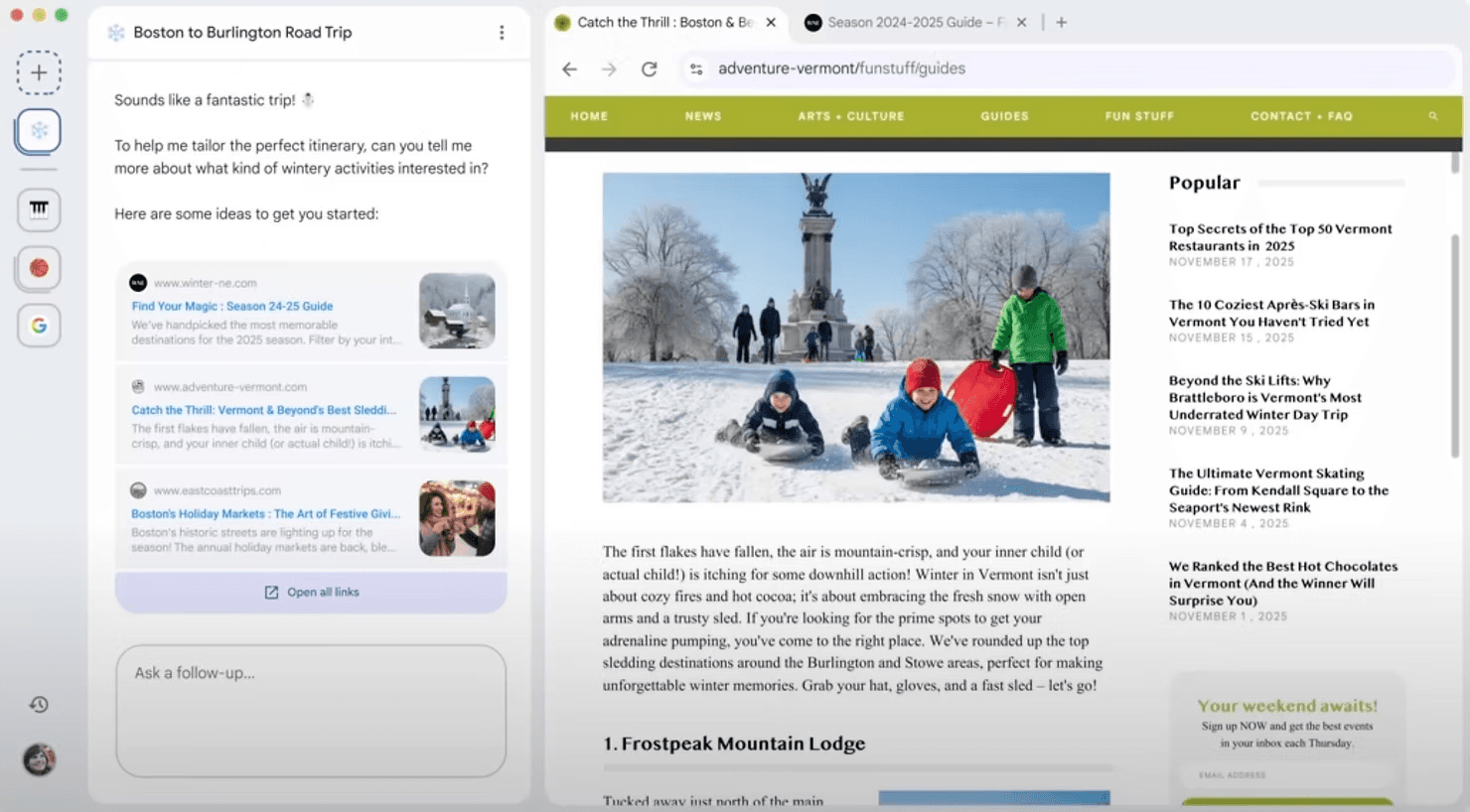
Open tabs that clearly relate to one objective, such as research articles, product pages, documentation, or planning resources. Disco works best when your tabs reflect a coherent goal.
2. Access Disco through Google Labs
Disco is currently available via Google Labs on a limited rollout. Once you have access, it runs alongside your browser session rather than as a separate app.
3. Describe the outcome you want
Instead of asking questions, state what you are trying to accomplish. For example:
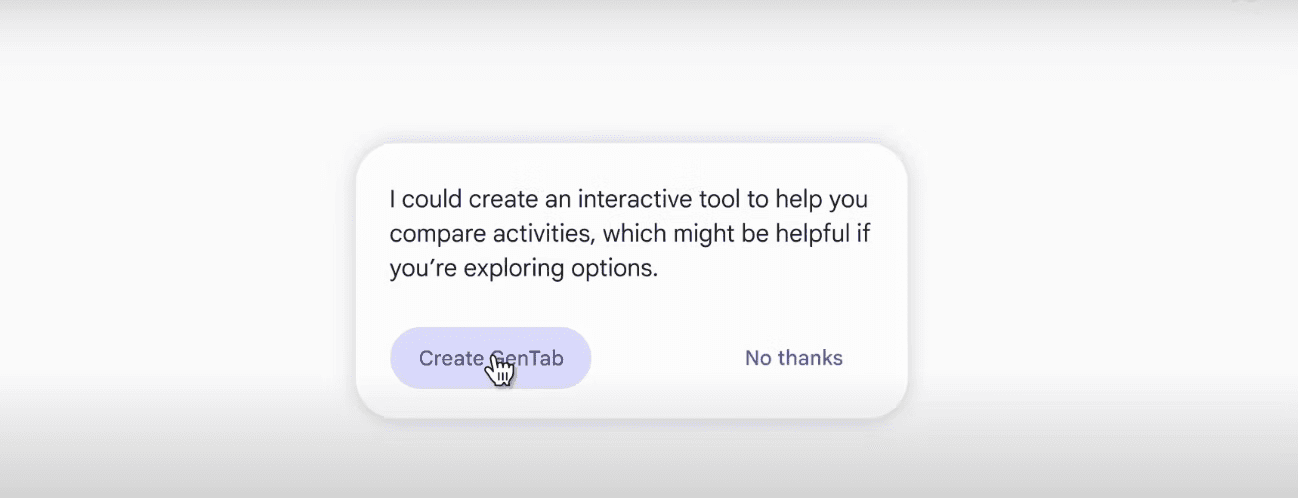
“Create a comparison tool from these product pages”
“Summarize the key ideas across these articles”
“Turn these travel pages into a planning interface”

4. Review the generated GenTab
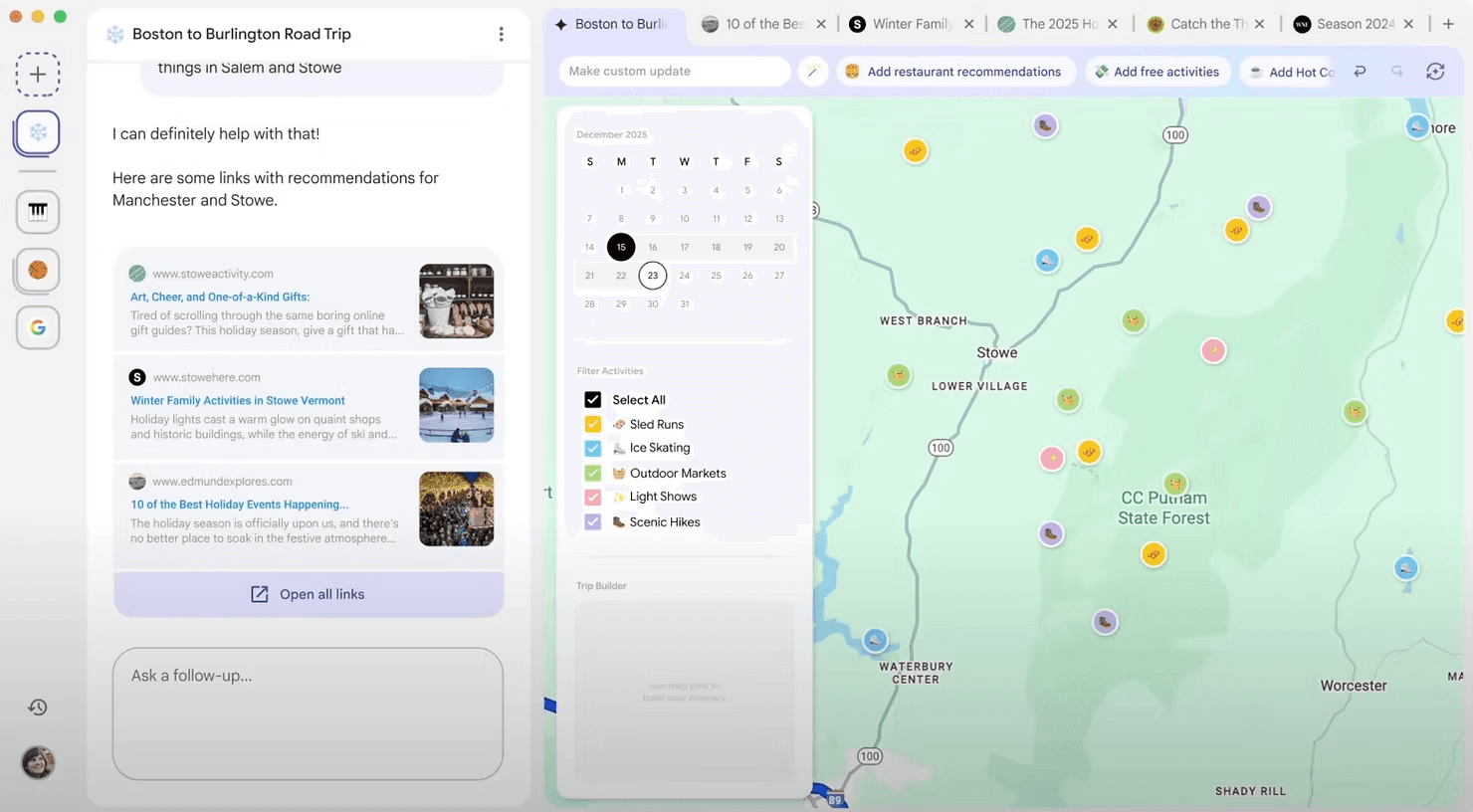
Disco will synthesize your open tabs into a GenTab, a task-specific mini app. Explore how it organizes information, links back to sources, and surfaces structure.

5. Refine through conversation
You can adjust the GenTab by continuing the conversation. Add sections, remove noise, change focus, or ask for a different representation. You are iterating on structure, not rebuilding from scratch.
6. Use the GenTab as a working surface
Treat the GenTab as a temporary workspace for thinking, planning, or decision-making. When finished, export or document what you need before closing the session.
The key shift is that your browser context becomes an active tool, not just a collection of pages.
Real Use Cases for AI Officers
Upskilling and Learning
An AI Officer exploring a new domain (like multi-agent orchestration or prompt engineering frameworks) can open several research articles, documentation pages, and case studies. Disco can generate a visual explainer or structured summary that connects the key ideas, making it easier to onboard quickly without losing depth.
Revenue Generation and Client Proposals
A consultant preparing a client pitch might have tabs open for competitor analysis, pricing models, industry benchmarks, and service offerings. Disco can turn those into a comparison tool or decision matrix that helps shape the proposal with clarity and confidence.
Operational Efficiency and Process Design
An operations lead researching workflow automation tools can use Disco to generate a planning interface from vendor pages, feature comparisons, and implementation guides. This becomes a reusable decision support tool instead of a messy spreadsheet built from memory.
Hiring and Role Evolution
An AI Officer defining a new role (like AI Product Manager or Prompt Engineer) might have job descriptions, skills frameworks, and salary benchmarks open. Disco can structure that into a role design canvas that helps communicate the position internally with backing data.
Strategic Planning and Trend Analysis
A product manager tracking emerging AI capabilities across multiple sources can use Disco to turn those tabs into a trend map or capability matrix. This shifts research from passive reading to active synthesis.
Strengths
Disco meets you mid-task instead of forcing you into a new workflow.
It does not replace your browser. It activates it. The interface stays conversational, grounded in real sources, and flexible enough to evolve as your thinking evolves.
The result is less context switching and more momentum.
Limitations
Disco is an experimental Google Labs product. Access is limited, features may change, and long-term availability is not guaranteed.
It works best with intentional, task-focused browsing. Random tabs reduce output quality.
GenTabs are temporary. If you need long-term storage or collaboration, you will need to export results.
Privacy and data handling details may matter for sensitive work and should be reviewed carefully.
Final Verdict
Disco signals a meaningful shift.
Browsers are no longer just for reading. They are becoming environments for building lightweight tools on the fly, without code and without setup.
For AI Officers and professionals who spend their days synthesizing, planning, and deciding, this is not about replacing existing tools. It is about adding a new capability: turning browsing context into usable applications in real time.
This direction matters.
Join the AI Officer Community to learn how professionals are applying emerging AI tools in real workflows, with weekly hands-on guides and micro-sessions:https://aiolabz.com