Most people think Google's AI presence begins and ends with Gemini chat. But tucked inside Google AI Studio and Google Labs is an ecosystem of purpose-built tools that already outperform many standalone apps, especially for research, content creation, prototyping, and visual work. Many of these tools are free, available early, and designed for people who need to move fast from idea to output.
This review unpacks the parts of the Google AI ecosystem that matter most for working professionals, and why they deserve your attention now.
What This Tool Is Designed To Solve
The core challenge here is fragmentation. Most professionals juggle too many tools to get simple things done: one app for research, another for summarization, a third for visuals, and yet another for rapid prototyping. Each transition costs time, context, and momentum.
Google AI Studio functions as an early access layer where new models and creative tools are tested before wider release. It brings together text, image, audio, and video capabilities in one environment. The goal is to reduce the number of handoffs between thinking and execution, and to give operators a unified workspace for experimentation without requiring engineering resources or complex workflows.
Key Features Worth Noting
NotebookLM: Source-Grounded Research Tool
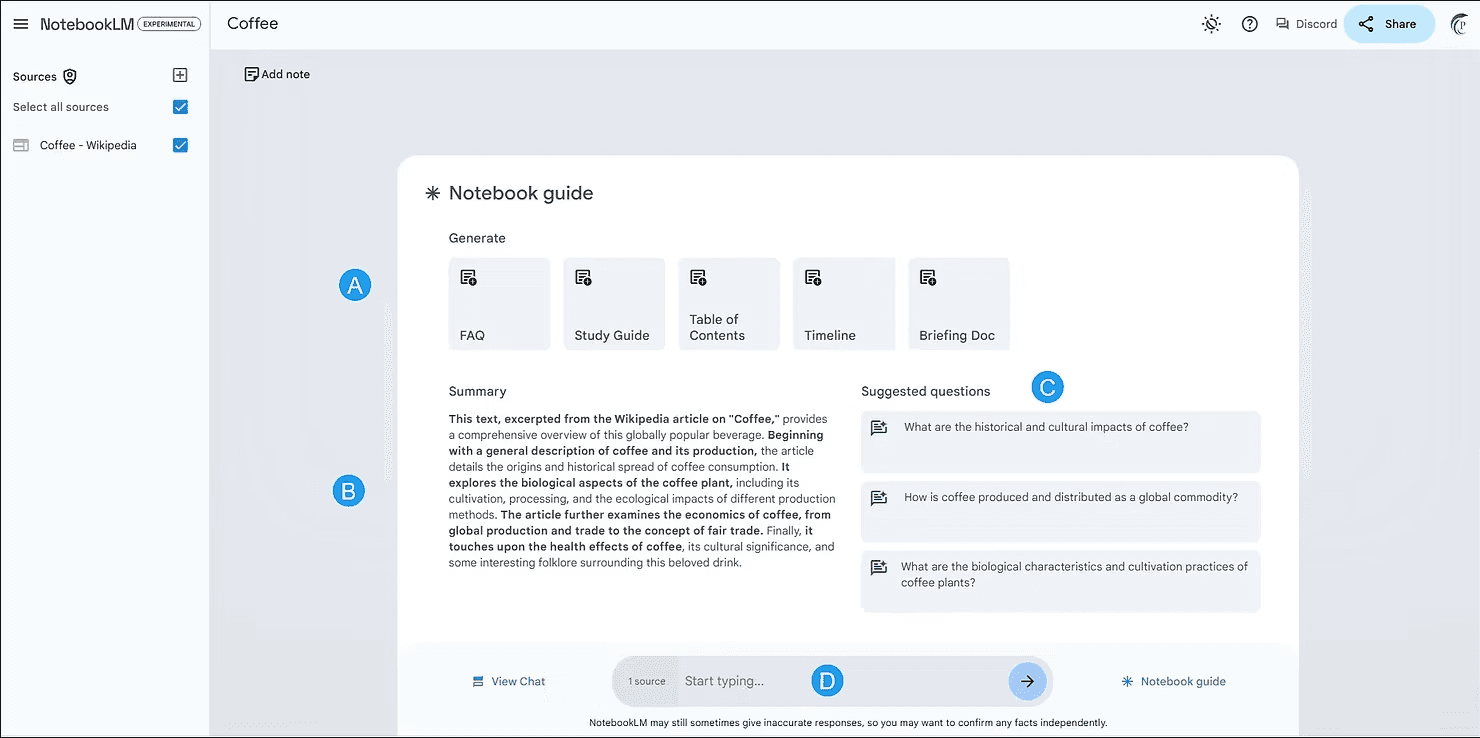
NotebookLM is not a summarizer. It is a thinking tool that accepts uploaded PDFs, articles, videos, or transcripts and generates conversational explanations, structured summaries, mind maps, and even audio or video overviews. Everything stays grounded in your sources, which reduces hallucination and keeps outputs reliable.
Gemini Gems: Reusable AI Agents
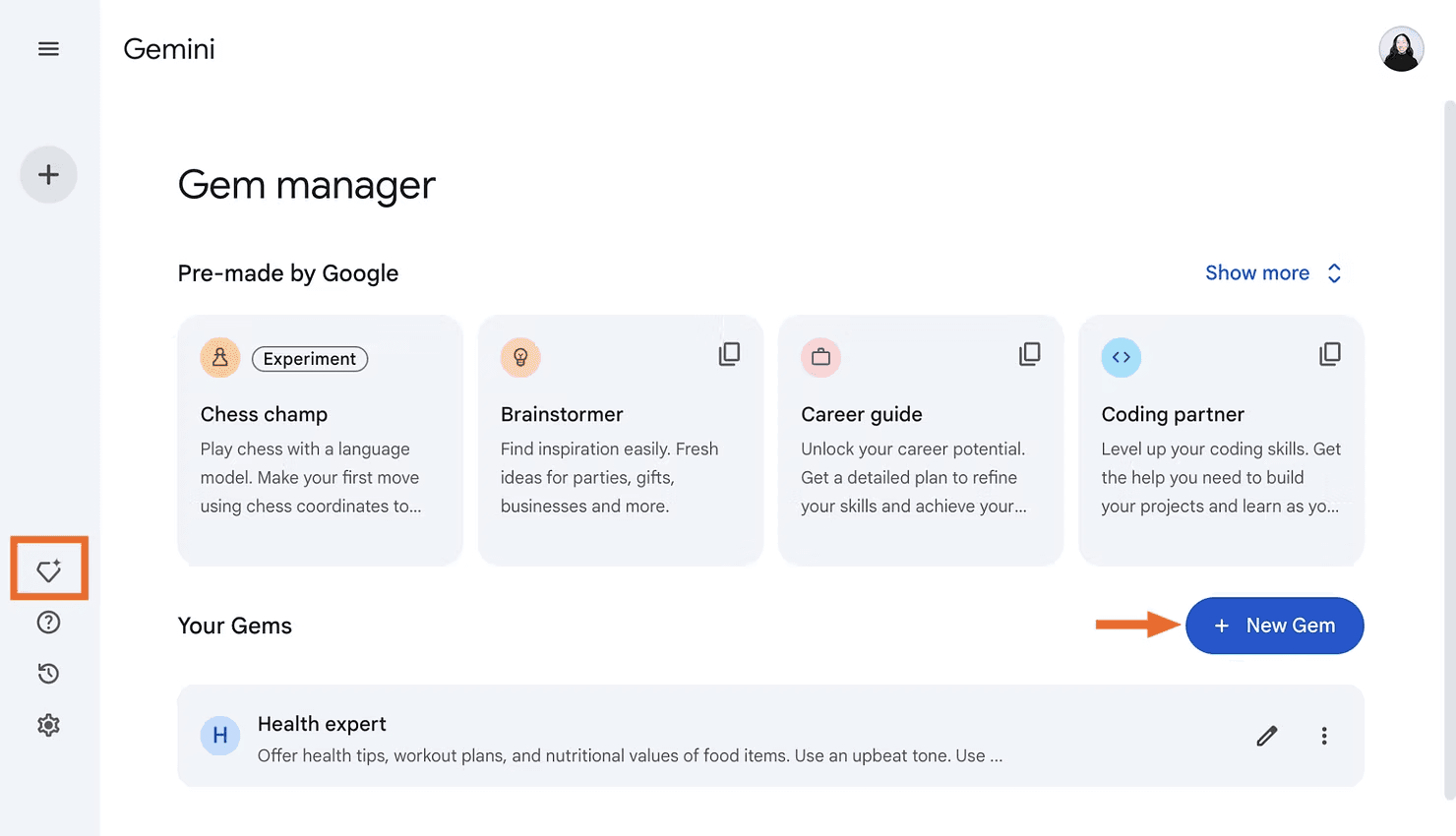
Gems are instruction-based agents that retain saved context and knowledge. You can create a campaign copy reviewer that knows your brand voice, a daily research summarizer for a specific domain, or a Facebook Ads ideation assistant. Unlike one-off chats, Gems are designed for repeated use inside workflows.
Nano Banana: Fast, Precise Image Generation
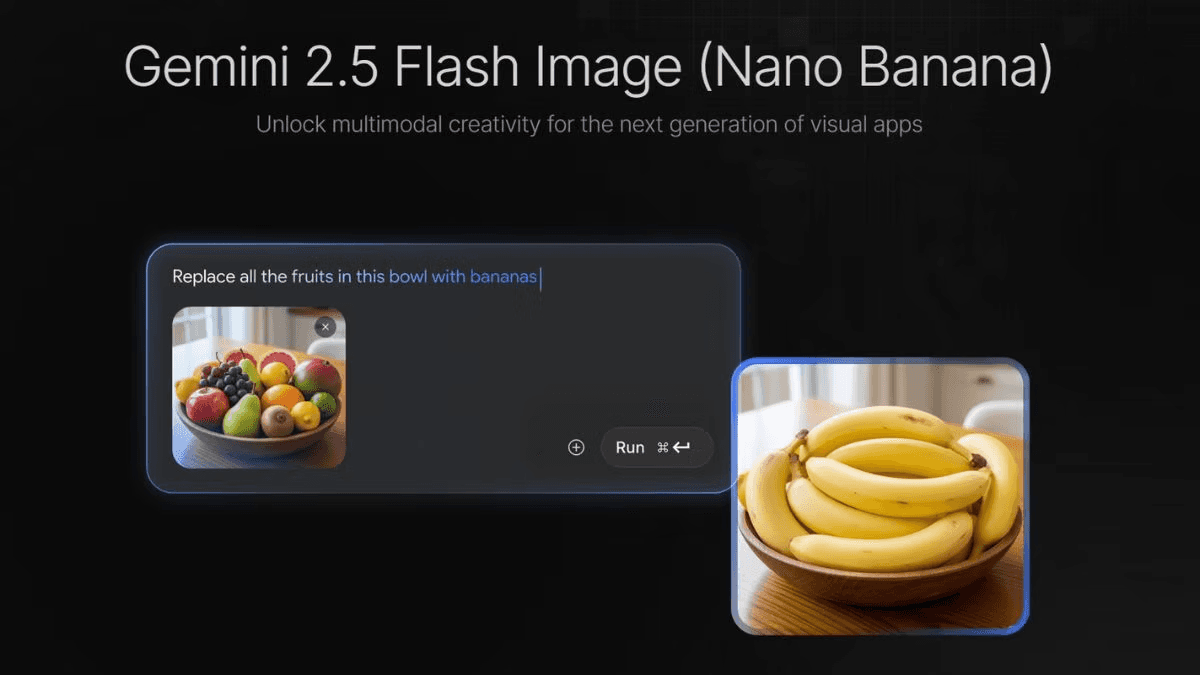
Nano Banana is optimized for speed and precision. It is best for execution-heavy creative work where you already know what you want and need quick iteration. Creators use it for covers, marketing visuals, and production-ready assets.
Google Imagen 3: Photorealistic Image Generation
Imagen 3 is built for photographic realism. It handles accurate lighting, depth, and texture better than most image models. This makes it ideal for brand assets, realistic mockups, and any visuals where AI-looking output is unacceptable.
Google Whisk: Image Blending Without Prompt Complexity
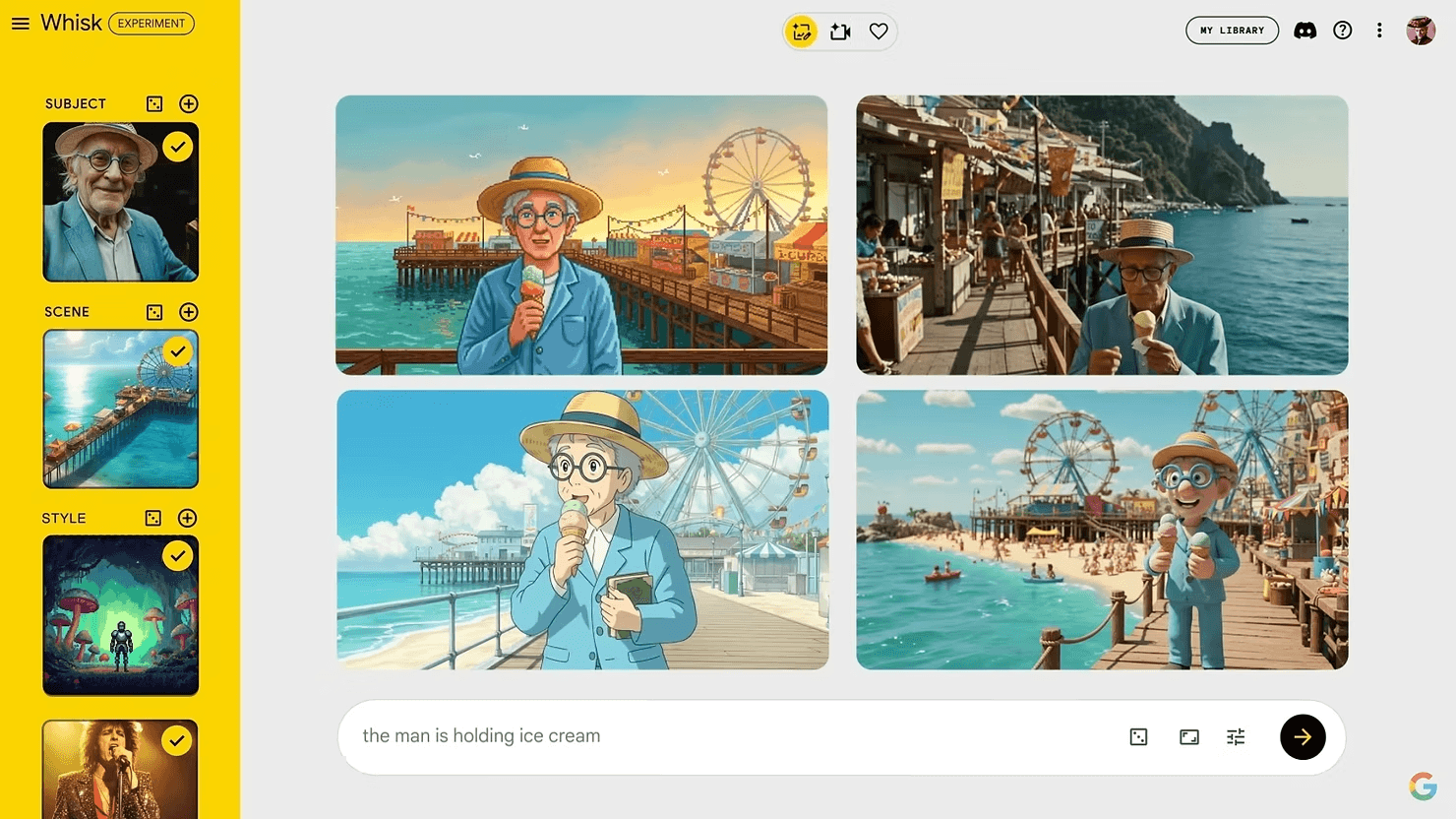
Whisk lets you merge up to three images into a single coherent scene. You can blend objects, styles, and environments without fighting prompt chaos. The result is a clean, unified composition that looks like one photograph.
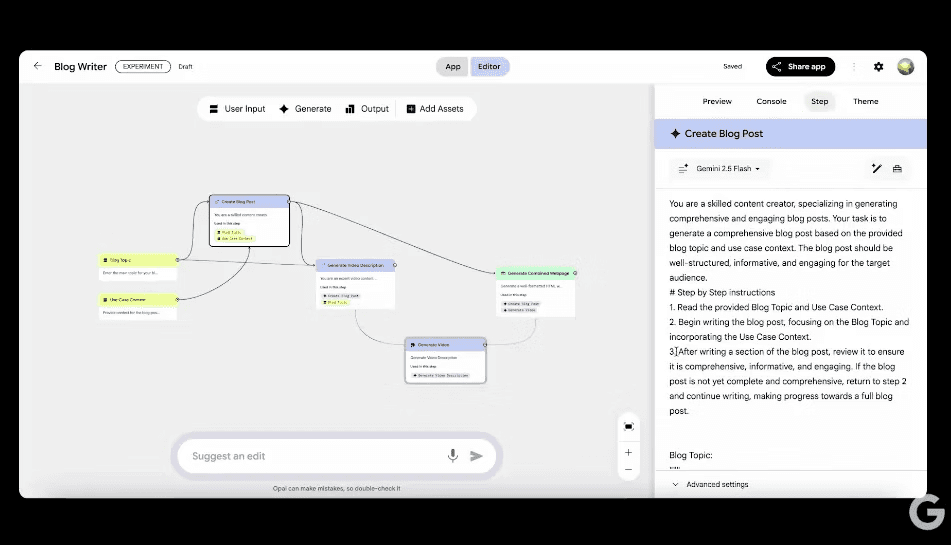
Google Opal: Mini AI Apps Without Code
Opal allows you to create mini AI apps, quizzes, utilities, and workflows using Google's models for text, image, audio, and video. No coding required. You can build a quiz from a lecture video or a decision tool from a set of inputs in minutes.
How the Tool Works
Google AI Studio serves as the testing ground for Google's newest AI models and creative tools. You access it through a web interface, and from there you can interact with models, upload content, create agents, or prototype apps.
For NotebookLM, you upload source material and ask questions or request outputs like summaries or audio overviews. For Gems, you define the role, instructions, and knowledge base once, then reuse that agent across sessions. For image tools like Nano Banana or Imagen 3, you enter prompts or upload reference images and generate visuals. For Opal, you describe the app or workflow you want to build, and it generates a working prototype.
The workflow is intentionally low-friction. You do not need API keys, developer environments, or complex setups. Most tools are accessible immediately after signing in with a Google account.
Real Use Cases for AI Officers
Learning and Upskilling
An AI Officer preparing to lead a company-wide AI literacy program uploads three research papers on generative AI ethics into NotebookLM. Within minutes, they have a podcast-style audio overview that explains the key ideas conversationally. They share this with their team as pre-reading material before a workshop.
Revenue Generation
A consultant uses Gemini Gems to create a reusable agent that reviews pitch decks against a checklist of investor expectations. Every time they prepare a new proposal, they run it through the Gem and get structured feedback in seconds. This shortens review cycles and improves win rates.
Operational Efficiency
A product manager uses Opal to build a mini app that helps stakeholders prioritize feature requests based on impact, effort, and alignment with company goals. The app is shared internally and saves hours of manual triage each week.
Content and Marketing
A marketing lead uses Nano Banana to generate social media visuals for a campaign launch. Because the tool is optimized for speed, they can iterate through ten variations in the time it would take to brief a designer for one.
Hiring and AI Role Evolution
An HR leader uses NotebookLM to synthesize interview transcripts and identify patterns in candidate responses. This helps them refine job descriptions and interview questions for a new AI strategy role.
Strengths
Google AI Studio gives you early access to tools before they reach the general public. This is valuable for professionals who want to stay ahead of trends and test new capabilities before competitors do.
The ecosystem is integrated. You can move between text, image, audio, and video tools without switching platforms. This reduces friction and keeps context intact.
NotebookLM is one of the best research tools available right now. Its source-grounded approach makes it reliable for serious work, not just casual exploration.
Gems solve a real workflow problem. Most people recreate the same prompts and instructions over and over. Gems eliminate that repetition.
The image tools are production-ready. Nano Banana and Imagen 3 both produce visuals that can go directly into campaigns, presentations, or client deliverables.
Limitations
The ecosystem is still fragmented in places. Some tools live in Google AI Studio, others in Google Labs, and some are only accessible through specific links. This can be confusing for new users.
Documentation is inconsistent. Some tools have clear guides, others require experimentation to understand fully.
NotebookLM does not yet integrate with Google Drive or Google Docs in a seamless way. You have to manually upload files, which slows down workflows if you work primarily in Google Workspace.
Gems are only available to Gemini Advanced subscribers. This creates a paywall for one of the most useful features.
Image tools are improving fast, but they still lag behind Midjourney and DALL-E 3 in certain creative use cases, especially stylized or artistic outputs.
Opal is powerful but feels rough around the edges. The interface is minimal, and it takes time to understand what kinds of apps it can realistically build.
How To Get Started in Under 10 Minutes
Start with NotebookLM. Go to notebooklm.google.com and sign in with your Google account. Click "Create a new notebook." Upload a PDF, article link, or YouTube video. Once the source is loaded, click "Generate audio overview" and listen to the output. This will give you an immediate sense of how the tool works and whether it fits your workflow.
Next, explore Gemini Gems if you have Gemini Advanced. Open Gemini chat, click on the Gems icon, and create a new Gem. Give it a role, such as "social media content reviewer," and add instructions like "Review posts for clarity, tone, and engagement potential. Suggest improvements." Save the Gem and test it with a few sample posts.
Finally, try one of the image tools. Search for "Nano Banana Google" or "Imagen 3 Google" to find the current access point. Enter a simple prompt like "a professional headshot of a person in business attire, neutral background, natural lighting" and see what it generates. Adjust the prompt and iterate a few times to understand how the model responds.
Who Google AI Studio Is Best For
Google AI Studio is best for professionals who need to move quickly from idea to output without relying on engineering resources or specialized software.
Product managers will find value in Opal for rapid prototyping and in NotebookLM for synthesizing user research.
AI engineers and consultants will appreciate the early access to new models and the ability to test capabilities before they reach production environments.
Marketers will benefit from the image tools and Gems for repeatable content workflows.
Anyone in a strategic role who is trying to understand emerging AI capabilities will find Google AI Studio to be a useful testing ground.
This ecosystem is not for people who need highly polished, enterprise-grade tools with full support and documentation. It is for people who are comfortable with experimentation and willing to work with tools that are still evolving.
Final Verdict
Google AI Studio is not a single product. It is a layer of early access to Google's evolving AI capabilities. The tools inside it are uneven in polish and discoverability, but many of them are already useful in real workflows.
NotebookLM is one of the best research tools available today. Gems solve a clear workflow problem for people who use AI repeatedly. The image tools are fast and production-ready. Opal is rough but promising for rapid prototyping.
The biggest value here is compression. These tools reduce the distance between thinking and execution. They let you test ideas, create assets, and build prototypes without waiting for designers, developers, or external vendors.
For AI Officers, this ecosystem is worth monitoring closely. Not every tool will stick around, but the direction is clear: Google is building toward outcomes, not interfaces. That shift matters for anyone responsible for orchestrating AI resources inside an organization.
If you are already using Google Workspace, these tools integrate naturally into your workflow. If you are evaluating where to invest time in learning new AI capabilities, this is a smart place to start.
Join our AI Officer Community to learn how to apply tools like this in your work, get weekly hands on guides, and attend our live micro sessions.