Most people still use ChatGPT as a single, general-purpose assistant. They open a blank chat, type a prompt, hope for the best, and start over the next day.
There is a more intentional way to work with AI.
Custom GPTs are purpose-built versions of ChatGPT designed to do one job well, repeatedly, with context baked in. Think of them as lightweight AI operators you configure once and reuse. This is the difference between asking ChatGPT for help and assigning ChatGPT a job.
For AI Officers, product managers, consultants, and professionals managing complex responsibilities, this shift matters. It marks the move from ad-hoc prompting to cognitive infrastructure. From one-off outputs to systems that scale across teams.
What This Tool Is Designed To Solve
Most AI usage today is inefficient.
Teams repeat the same prompts. Outputs vary depending on who asked the question. Context gets lost between sessions. Brand voice drifts. New hires struggle to prompt effectively. Review cycles grow because consistency is missing.
Custom GPTs solve this by letting you configure ChatGPT with:
A fixed role
Persistent instructions
Private knowledge
Optional tools
Once built, the GPT behaves consistently, like a specialist instead of a generalist. You no longer need to re-explain expectations every time. The GPT already knows its job.
This is especially valuable when work is repeated, standards are well defined, and judgment still matters, but friction slows execution.
Key Features Worth Noting
Custom GPTs offer several capabilities that differentiate them from standard ChatGPT usage:
Persistent Instructions: You define how the GPT should think, respond, and structure outputs. These instructions remain active across all conversations with that GPT.
Knowledge Upload: You can upload PDFs, documents, frameworks, or templates. The GPT treats these as its source of truth, grounding responses in your materials rather than relying only on its training data.
Role Assignment: Each GPT is configured with a clear job function. This role shapes how it interprets requests and prioritizes responses.
Tool Integration: Depending on the use case, you can enable web browsing, file uploads, or API connections for more advanced workflows.
Visibility Control: GPTs can be private, shared via link with your team, or published publicly in the GPT Store.
No-Code Setup: Everything is configured through a guided, plain-language interface. No programming required.
How the Tool Works
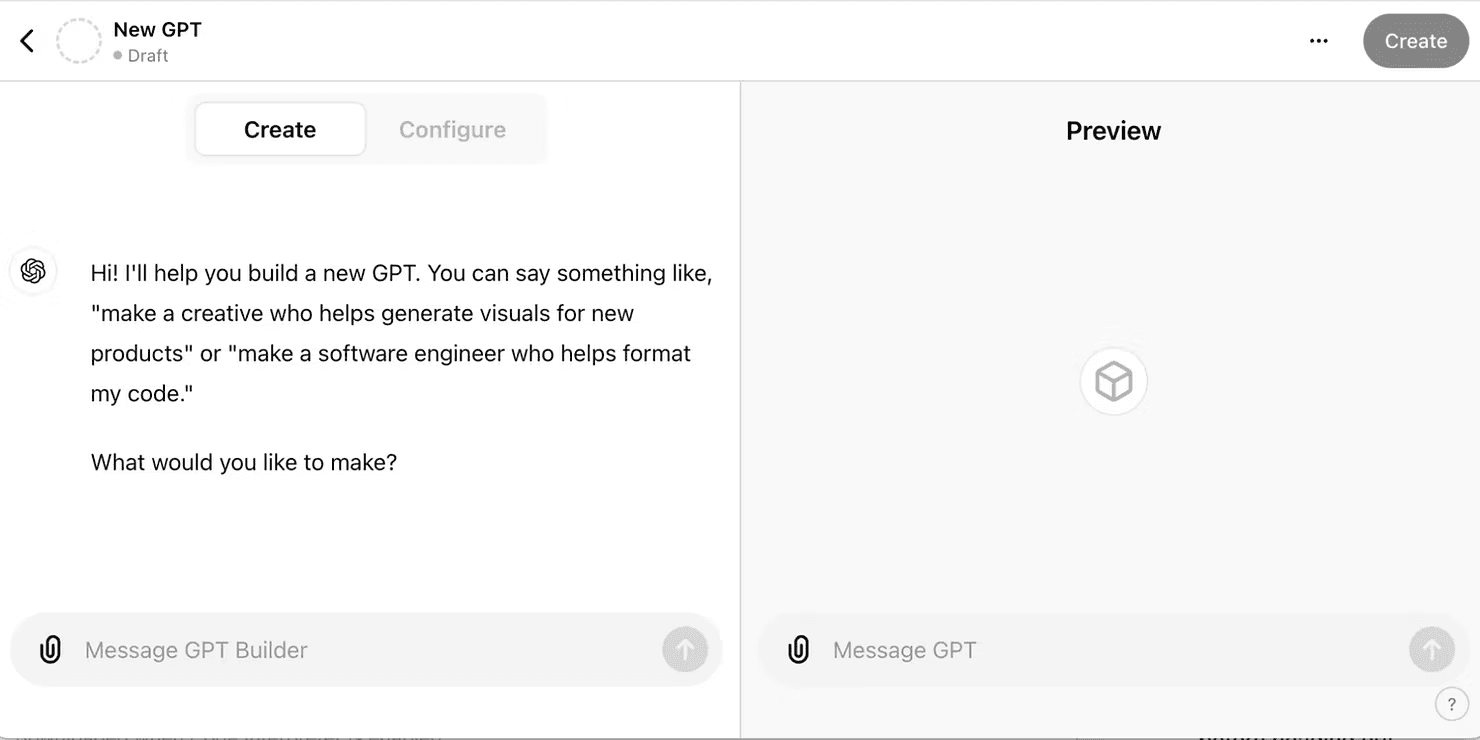
Custom GPTs are built using the GPT Builder inside ChatGPT.
Start by defining the role clearly. A helpful question is: If this GPT replaced a human, what would their job title be? That clarity informs every decision that follows.
Next, write precise instructions. Strong instructions specify tone, audience, priorities, constraints, and output structure. For example, you might require structured responses with assumptions, recommendations, and next steps, and explicitly forbid invented data.
If relevant, upload knowledge files. This is where GPTs shift from creative to reliable. Grounding the model in your materials reduces guesswork and increases trust.
You can then enable tools as needed. Start simple. Add complexity only when the workflow requires it.
Finally, test the GPT like a real user. Paste real work. Ask realistic questions. Watch for drift. If outputs are inconsistent, tighten the instructions.
Once it performs reliably, set visibility and share it, or keep it private while refining further.
Real Use Cases for AI Officers
Brand and Content Reviewer GPT: Teams paste emails, social posts, blogs, or campaign copy. The GPT checks tone, clarity, audience fit, and brand alignment, then returns structured feedback and suggested rewrites.Uploaded knowledge:brand guidelines, high-performing examples, messaging rules.
Research and Briefing GPT: Users upload reports, PDFs, or transcripts and request summaries, comparisons, implications, or executive briefs. Outputs stay grounded in the source material.Ideal for: consultants, product managers, strategy teams.
Executive Writing GPT: Rough notes or dictated thoughts are rewritten into clear, concise leadership communication.Uploaded knowledge: executive writing examples, tone guidelines, organizational context.
Client Proposal and Pitch GPT: Teams input client context and constraints. The GPT structures proposals, outlines decks, and drafts key sections consistently.Uploaded knowledge: past proposals, pricing frameworks, case studies, objection handling.
Training and Enablement GPT: New hires ask questions about tools, workflows, or frameworks. The GPT explains concepts using internal language and examples.Uploaded knowledge: SOPs, playbooks, training decks.
Strengths
Custom GPTs create consistency. Once trained, they behave like specialists rather than blank slates.
They reduce cognitive load. Users no longer need to remember how to prompt correctly, the GPT already knows expectations.
Setup is accessible. No technical skills are required, which lowers adoption barriers across teams.
They integrate naturally into existing workflows. If your team already uses ChatGPT, this is an incremental upgrade, not a platform shift.
Limitations
Custom GPTs are only as good as their instructions and knowledge. Vague setup leads to vague outputs.
They require iteration. The first version is rarely perfect and needs refinement based on real use.
They are not autonomous. Human judgment is still required.
Access requires a ChatGPT Plus or Enterprise plan.
Sensitive data should be uploaded carefully, with visibility and data handling policies clearly understood.
How To Get Custom GPTs Started in Under 10 Minutes
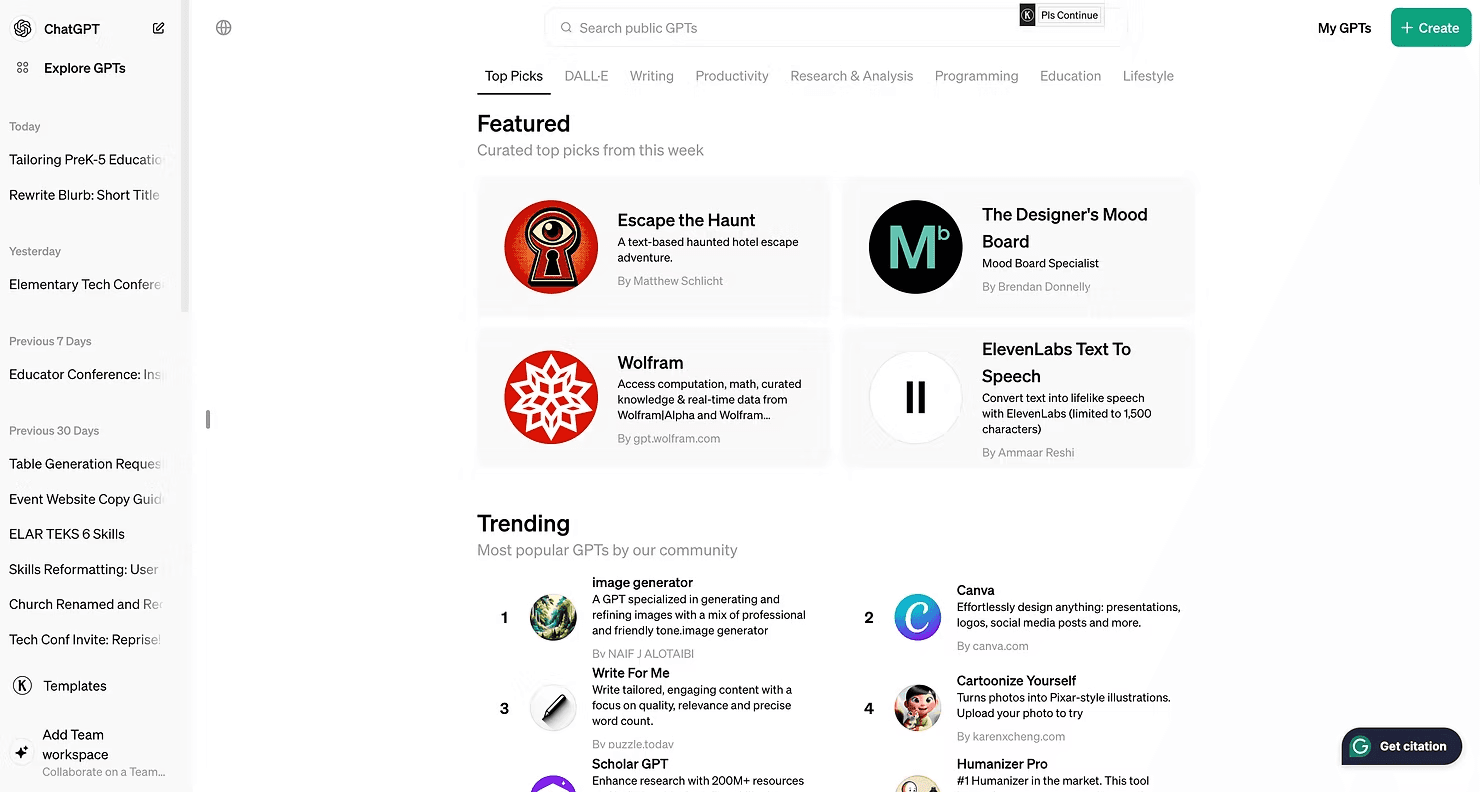
Open ChatGPT → Explore GPTs → Create
Define a simple role (e.g., “Email clarity reviewer”)
Edit instructions for tone, structure, and constraints
Upload one relevant document if available
Test with real input
Refine instructions as needed
Set visibility to “Only me” and save
You now have a reusable GPT you can build on.
Who This Tool Is Best For
Custom GPTs are ideal for professionals doing repeatable work that benefits from consistency:
AI Officers orchestrating workflows across teams
Product managers standardizing documentation
Consultants producing client-facing materials
Marketers enforcing brand voice
Individuals who repeat the same prompts daily
If you want quality to scale without scaling headcount, this tool fits.
Final Verdict
Custom GPTs are not automation for its own sake. They are cognitive infrastructure.
They protect expertise from friction, reduce review cycles, accelerate onboarding, and enable consistent output across teams.
If you are already using ChatGPT, building your first Custom GPT is the next logical step.
Join the AI Officer Community to learn how others are deploying GPTs in real workflows, get weekly hands-on guides, and attend live micro-sessions.