"Make me an app with a dashboard."
That is how most first build requests to an AI tool begin. Not with a problem. With a picture. Screens, buttons, a chart in the corner, a login page because real apps have login pages. The AI obliges. What comes back looks finished. It has a header, a sidebar, and a confident sense of purpose. It also solves nothing, because the AI was never told what the problem was.
One habit separates leaders who get useful tools out of AI from leaders who get a gallery of handsome prototypes. It is easy to state and harder to practice: describe the problem, not the app.
- The Problem. Most leaders ask an AI tool for an app by describing screens and buttons, and what comes back looks finished but solves nothing, because the AI was never told what the problem was.
- The Insight. The useful work happens before the build request: a short problem statement naming who is stuck and when, what they do today and where it hurts, the one outcome that counts as done, and what the tool must never do.
- The Way Forward. Write those four answers for one annoying task this week, ask for the smallest thing that solves it, and judge the result against the answers you wrote before the tool existed.
The myth: a good build request describes the tool
The result looks finished and solves nothing, because the AI was never told the problem.
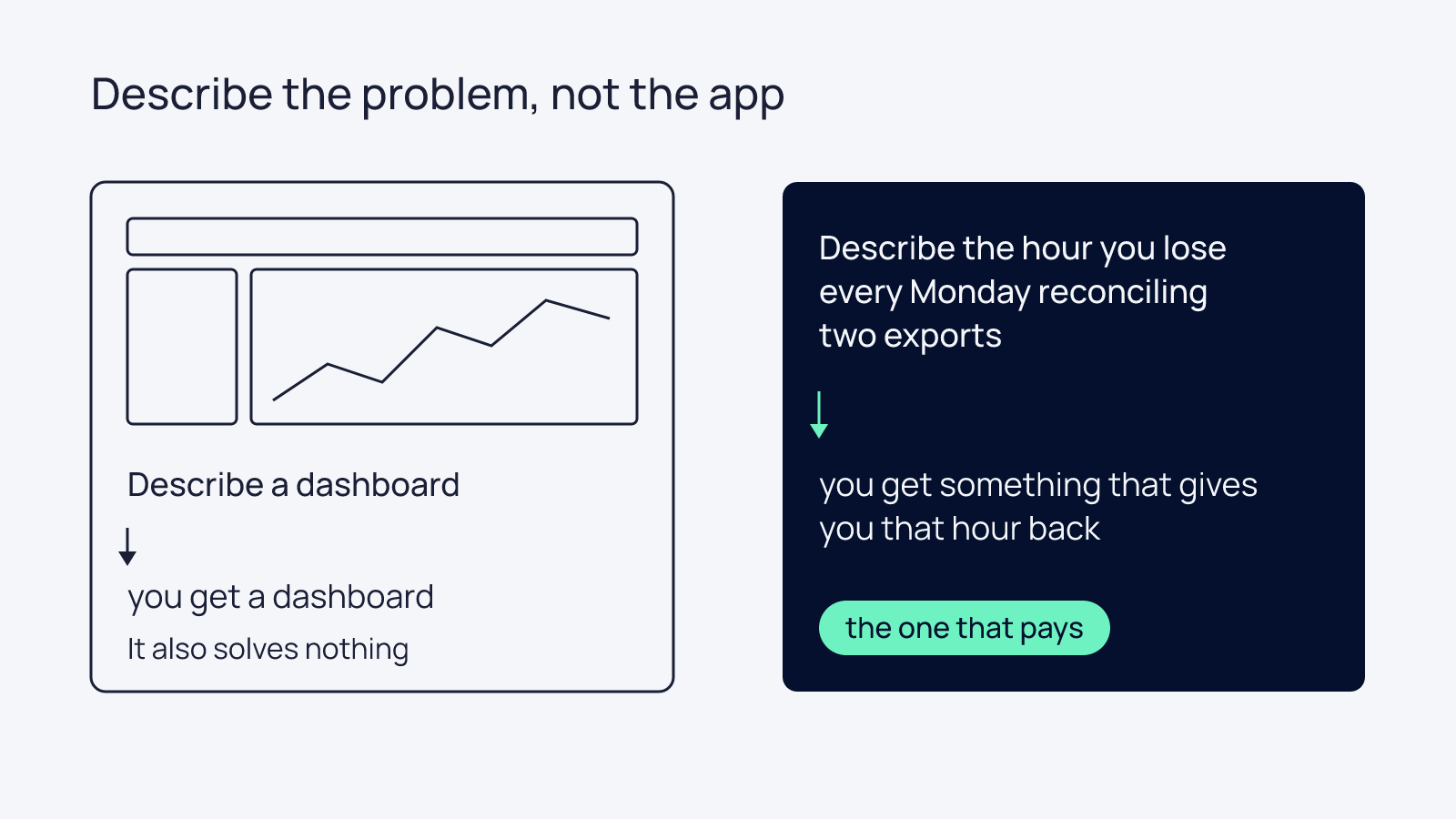
The instinct makes sense. When you commission anything in the physical world, you describe the finished object. A contractor needs a floor plan. A designer needs a brief with dimensions. So when a leader sits down to ask AI for software, muscle memory takes over and out comes a specification of screens.
But an AI model is not a contractor waiting for a floor plan. It is closer to a fast, literal colleague who will build exactly what you asked for and nothing you forgot to say. Describe a dashboard and you get a dashboard. Describe the hour you lose every Monday reconciling two exports and you get something that gives you that hour back. The second request is shorter. It is also the one that pays.
So the fix is not a better description of the app. It is a short problem statement, written before any build request at all: four questions in plain language, then a request for the smallest thing that solves it, then a check. Here is the sequence.
Step 1: Name who has the problem, and when it happens
Start with a person, not a system. Who is stuck, and at what moment of the day or week does it bite? "The finance lead, every Friday afternoon, when the invoice list has to be matched against what was actually paid." That single sentence already carries more useful information than "an invoicing app." It tells the AI the user, the frequency, and the trigger. It also tells you whether this is a problem worth building for, or an annoyance you can live with.
If you cannot name a person and a moment, stop. There is no tool to build yet.
Step 2: Write down what they do today, step by step, and where it hurts
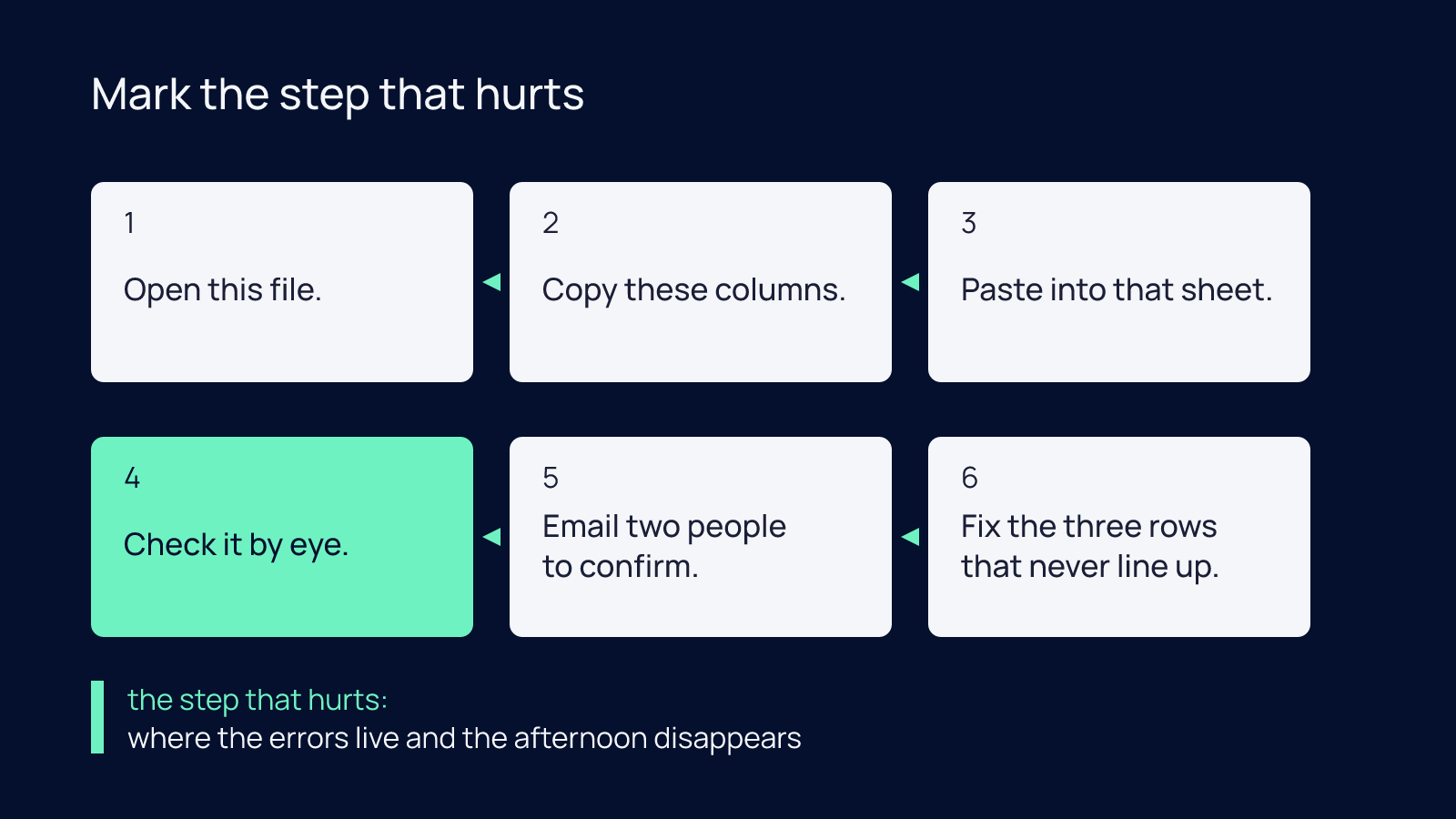
Walk the current process as it actually happens, not as the org chart imagines it. Open this file. Copy these columns. Paste into that sheet. Check it by eye. Email two people to confirm. Fix the three rows that never line up.
Then mark the step that hurts. There is usually one. The copy and paste is tedious but fast; the checking by eye is where the errors live and the afternoon disappears. That is the step the tool should remove. Everything else can stay manual for now, and probably should.
This step does two things. It gives the AI a precise target, and it stops you from automating a whole workflow when only one link in it is broken.
Step 3: Define done, the one outcome that makes this worth it
What is the single result that, if it showed up reliably, would justify the time? Not five features. One outcome. "A list of the rows that do not match, ready by Friday at noon." "A draft reply in my tone that I can approve in under a minute." "The three numbers I need before the Monday call, in one place."
Write it as a sentence a colleague could test. If they cannot look at the output and say yes or no, it is not done yet. It is a wish.
Step 4: State what it must never do
This is the step most people skip, and it is the one that keeps a small tool from becoming a large incident. Name the data it must not touch. Name the steps a person must approve before anything leaves the building. Name the system it is not allowed to write to.
"It may read the export. It may not touch the accounting system. Nothing goes to a customer without me clicking approve." Boundaries like these are not caution for its own sake. They are what let you hand the tool to someone else later and sleep.
Step 5: Ask for the smallest thing that solves it
Then ask for the smallest thing that solves it, and check the result against the four answers.
Now, and only now, make the build request. Hand over the four answers and ask for the smallest thing that solves the problem as stated. Not the platform. Not the dashboard. The smallest working thing.
Resist the urge to add "while you are at it." Every extra feature is a place for the tool to be wrong, and a reason the person in Step 1 never adopts it. Small tools get used. Big prototypes get admired and abandoned.
Step 6: Check the result against your four answers
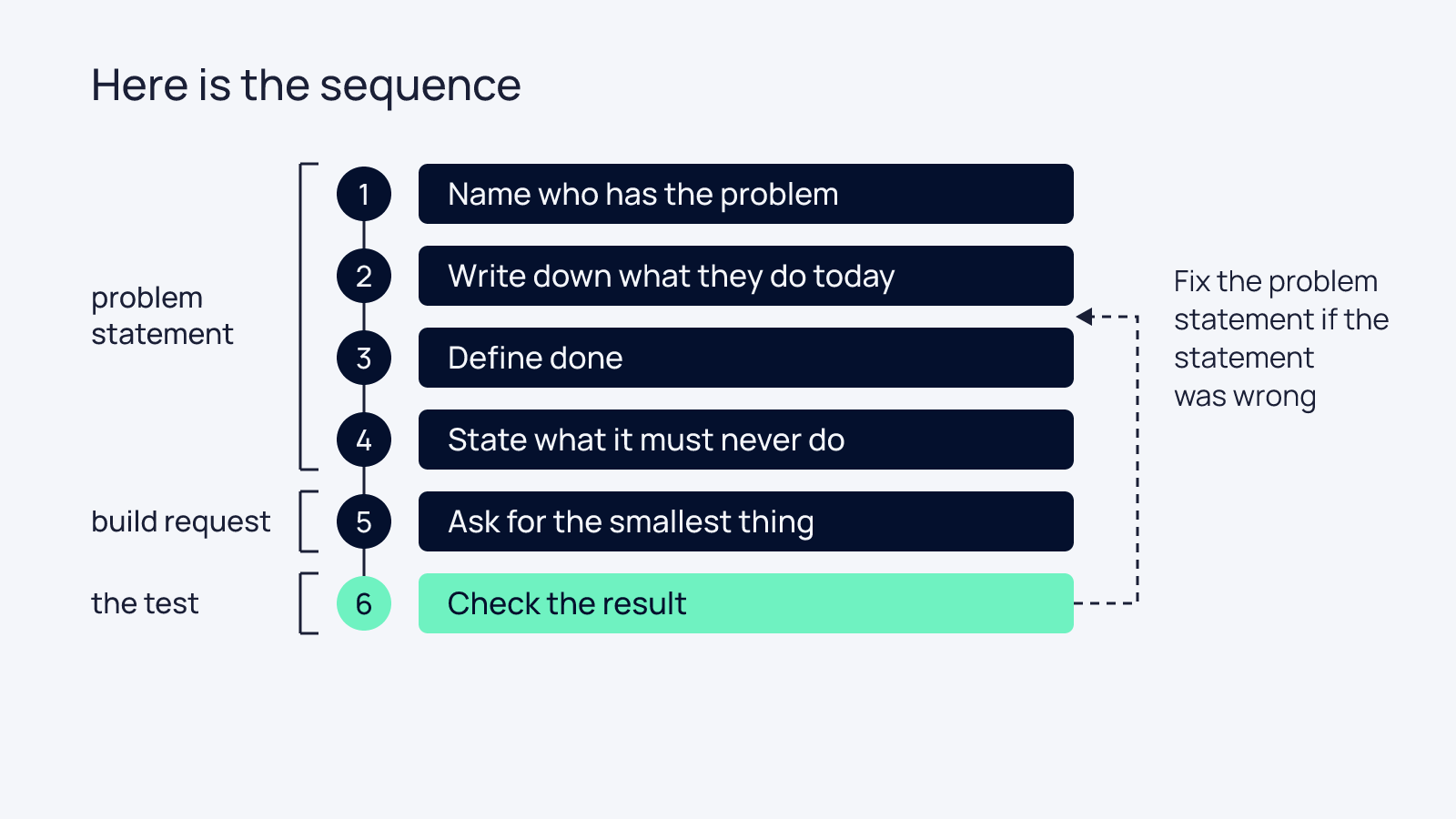
The build is not finished when it runs. It is finished when it passes. Go back to the problem statement and put four questions to the output. Does it serve the person in Step 1 at the moment in Step 1? Does it remove the painful step from Step 2, or just rearrange it? Does it produce the done from Step 3 in a form that person could say yes to? Does it respect every boundary from Step 4?
If it fails any one of them, the tool is not done, however polished it looks. Fix the problem statement if the statement was wrong. Fix the build if the build was wrong. Either way, the four answers are the test, and the test was written before the tool existed. That is the whole point.
Try it this week
Try it: write the four answers for one annoying task in your week before you ask any AI tool to build anything.
Pick one annoying task in your own week. Not a strategic initiative. One task. Write the four answers for it before you open any AI tool. The writing takes a few minutes. Expect Step 2 to move the pain somewhere you did not assume.
Then make the request. Then check the result.
Problem first. AI second. ROI always.
That ordering is the principle behind everything the AI Officer Institute teaches, and it is why our programs are assessed on work produced rather than hours attended. In the Leadership in the AI Era program, built with Dr. Brooks Holtom of Georgetown and David Nilssen, participants leave with three working AI deliverables, not a certificate that says they were in the room. The Perth pilot scored a 77 NPS on that standard, and the program now runs in Vietnam, Dubai, and Washington, DC.
A problem statement is the smallest version of the same standard. It is proof that you understood the problem before you asked a machine to solve it, and it is the yardstick you use to judge whether the machine did.
If you want to practice this with structure, request access at aiolabz.com and start with the first lesson. From there, explore the certification and how you earn it. You pass by producing work, not by showing up.